Basic (Backup) Reports
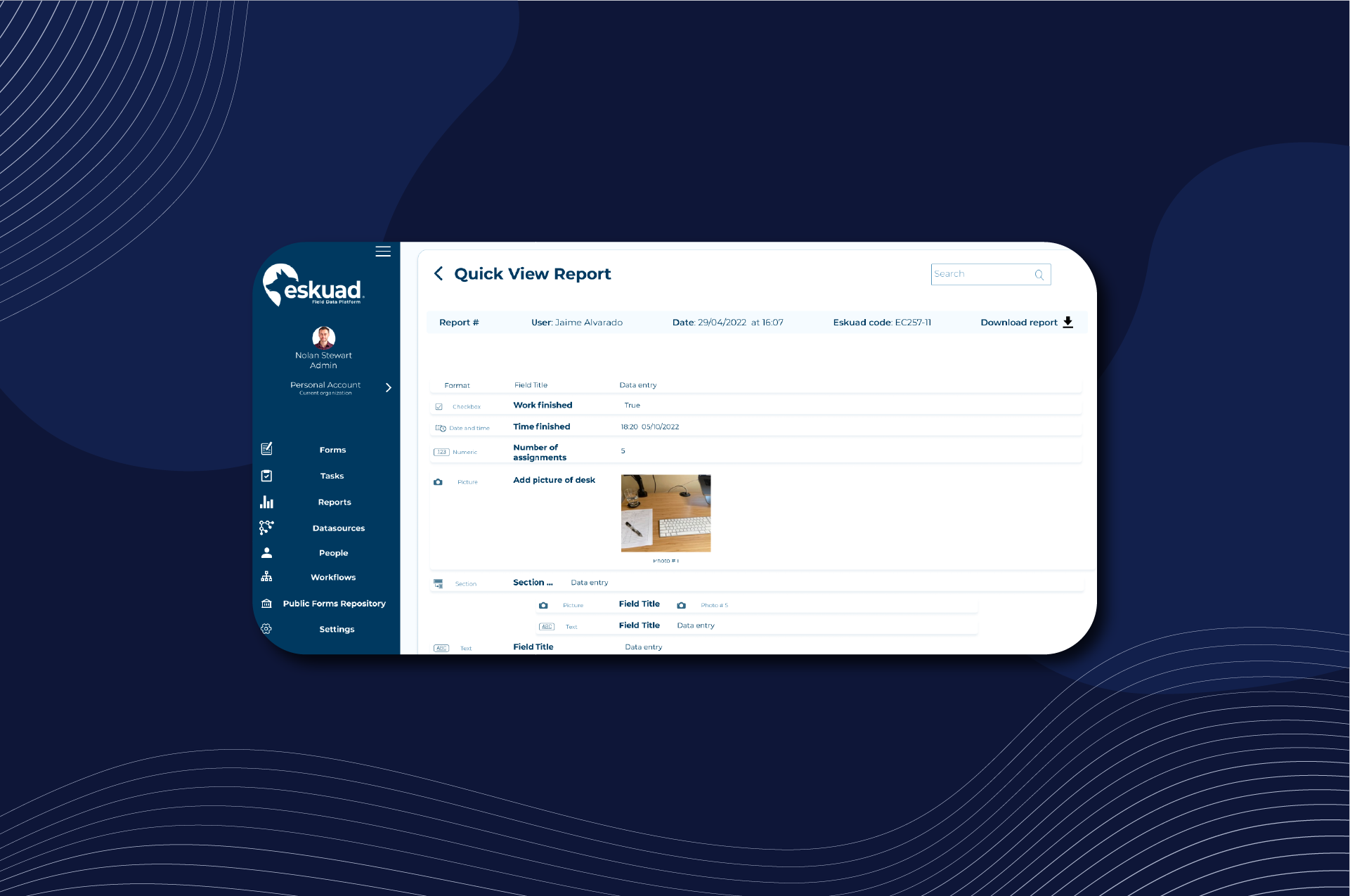
In Eskuad, accessing completed forms and generating basic (or backup) reports is a straightforward process. Here’s how you can view and manage completed forms:
Email Reports
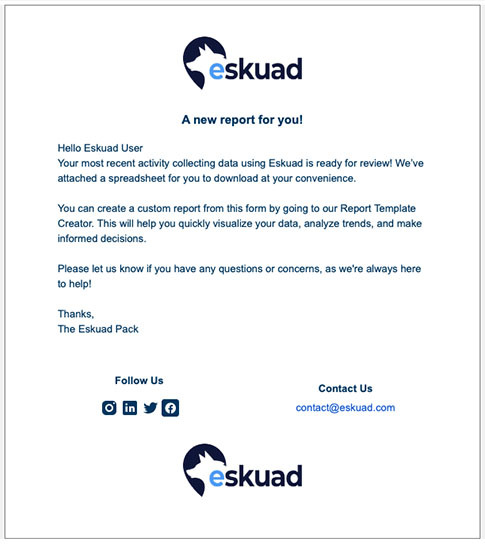
- Every time you or a team member complete a form in Eskuad, an email is automatically sent to the user who completed the form. This email includes a spreadsheet containing the data from the completed form. This spreadsheet is known as a backup report.
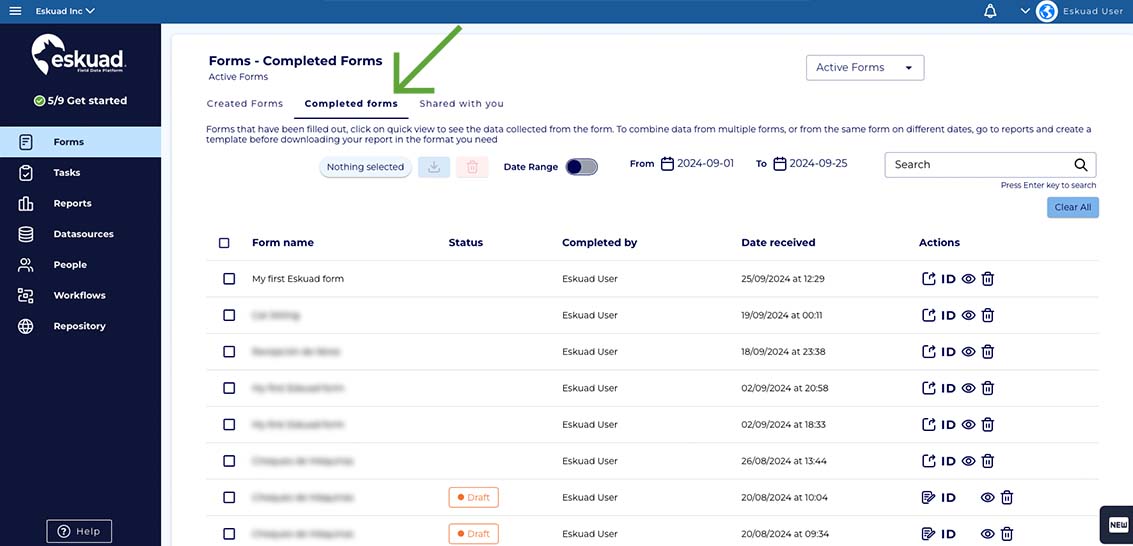
Completed Forms Menu
You can access and download your completed forms as backup reports directly within the Eskuad platform. Here’s how:
- Access Completed Forms: Click on the “Completed Forms” menu.
-
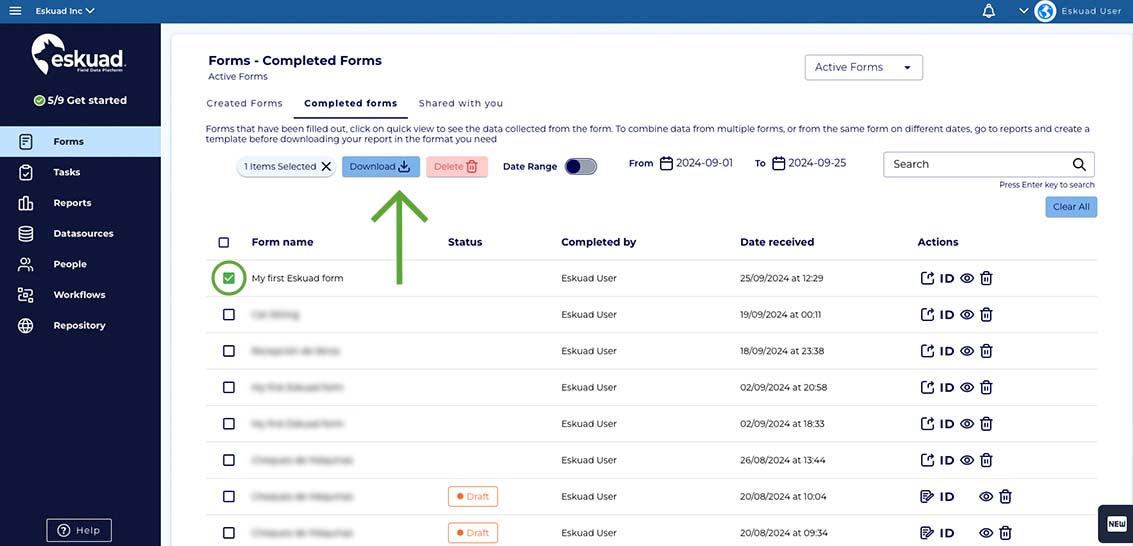
**Downloading a Basic Report:**You can download the basic report that you receive in the emails from this menu. You simply have to select the box to the left of one or more of the completed forms and then select the “Download” button.
-
Quick View: To review or edit a specific completed form, click on the “Quick View” option with this symbol: 👁️🗨️.
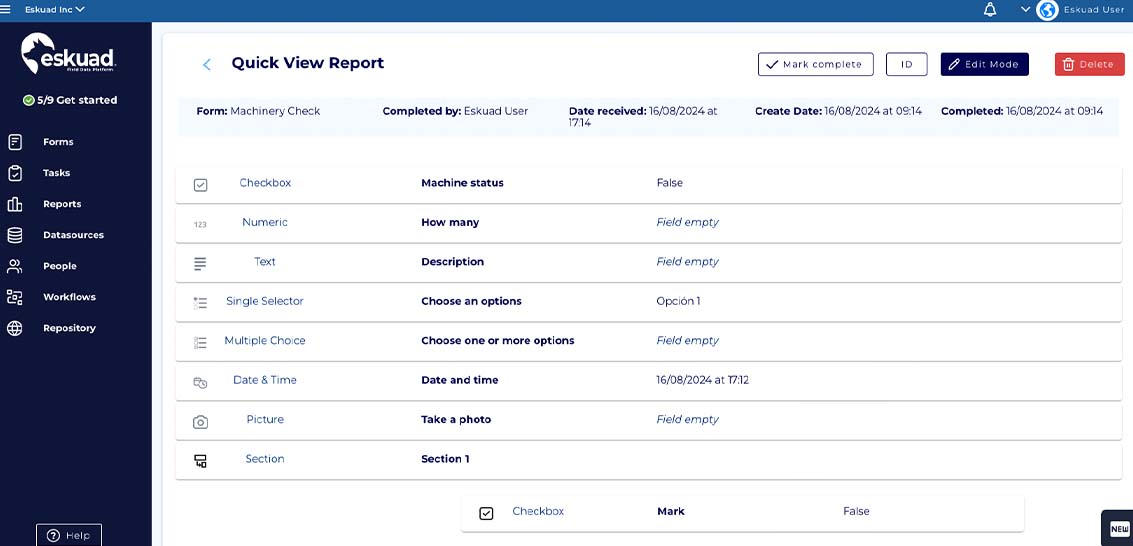
- Once you are inside the quick view page, you will have options to share, copy the form ID, edit, and delete the form at the top of the form.
Sharing Completed Forms
You can quickly share completed forms with other members or with people outside of your organization with the “share” option. You can do this from the web, or directly through the app.
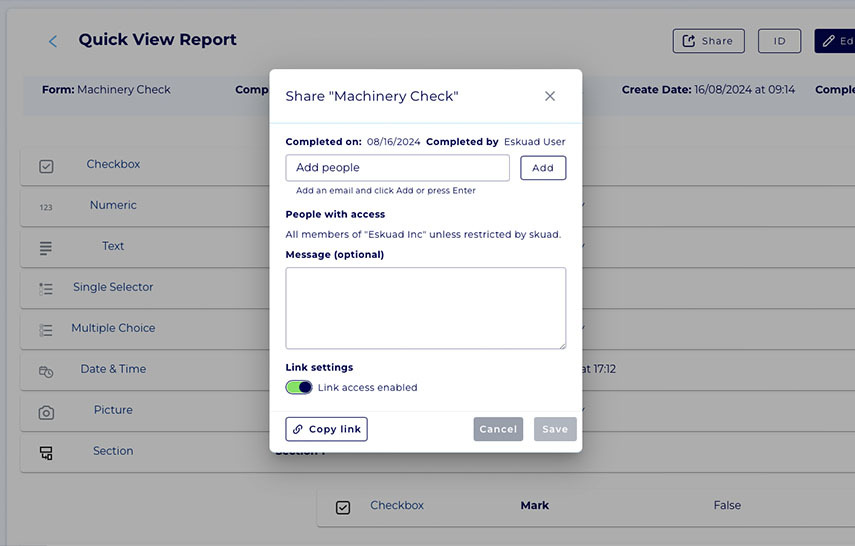
- Web: You can share completed forms either from the main menu of completed forms or within the “quick view.” In both cases you can enter the email of the people you want to share the form with or simply copy the link, to access it in a faster way.
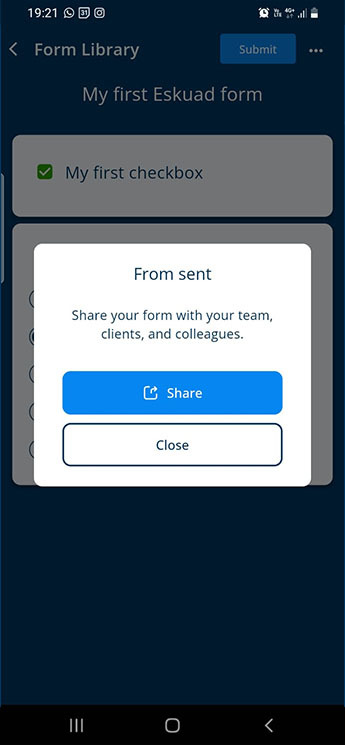
- App: Every time you submit a form, you will have the option to share the link to view the completed form. You can also share it at any time after, by going into the history and selecting the form you would like to share.
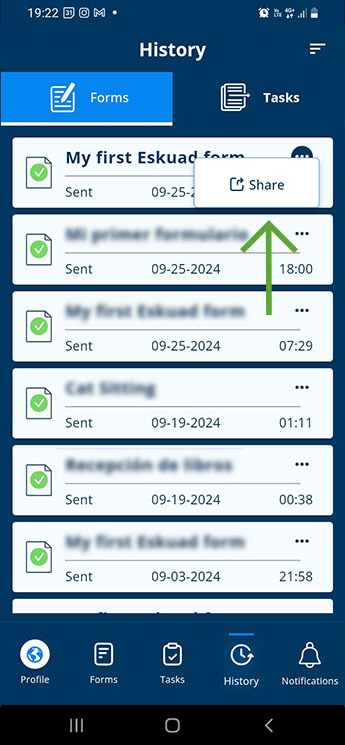
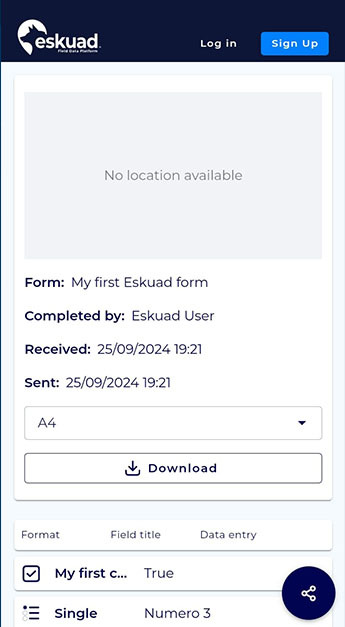
Once shared, you (or the person you shared with) will be able to view the completed form in a format ready to be downloaded as a pdf, and obtain a quick backup of your report.
Searching and Filtering Completed Forms
Eskuad provides tools to help you find specific records among your completed forms:
- Advanced Search: You can search for a completed form by form name, field name, answers inside the form, form ID, and date range. When you type in a search parameter and hit enter, it will appear below the search bar, acting as a filter. You can add as many search parameters and be as specific as you want to find the completed form you are looking for.
- Date Filtering: You can filter completed forms by date to narrow down your search results.
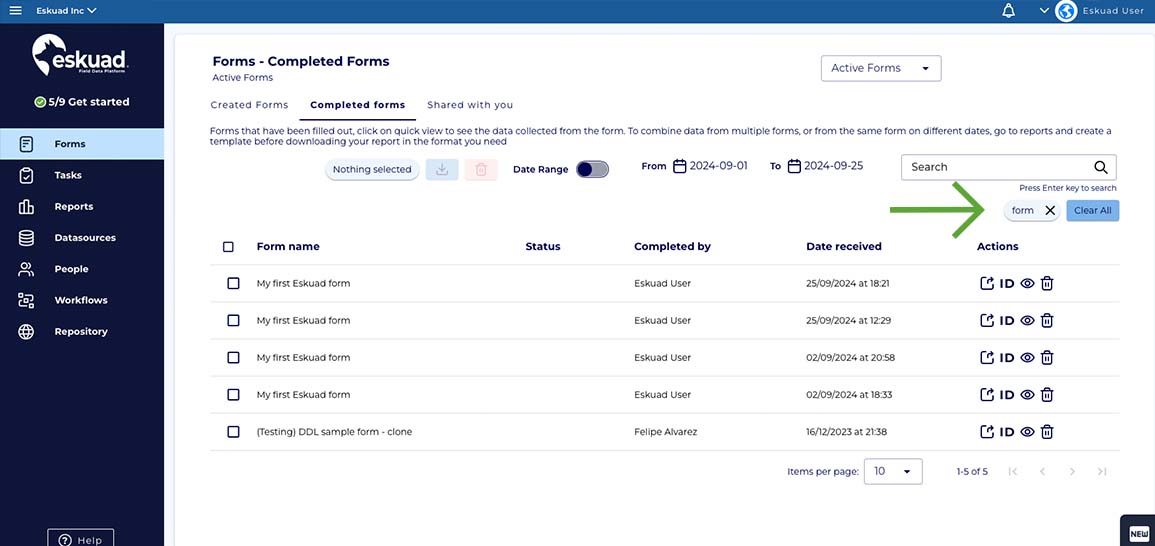
By using these search and filter options, you can easily retrieve and review completed forms, making it a convenient way to generate basic reports based on data obtained on the field.
If you have any additional questions or need further assistance with accessing or managing completed forms in Eskuad, please don’t hesitate to ask. Your data management and reporting needs are our priority.