Custom Reports
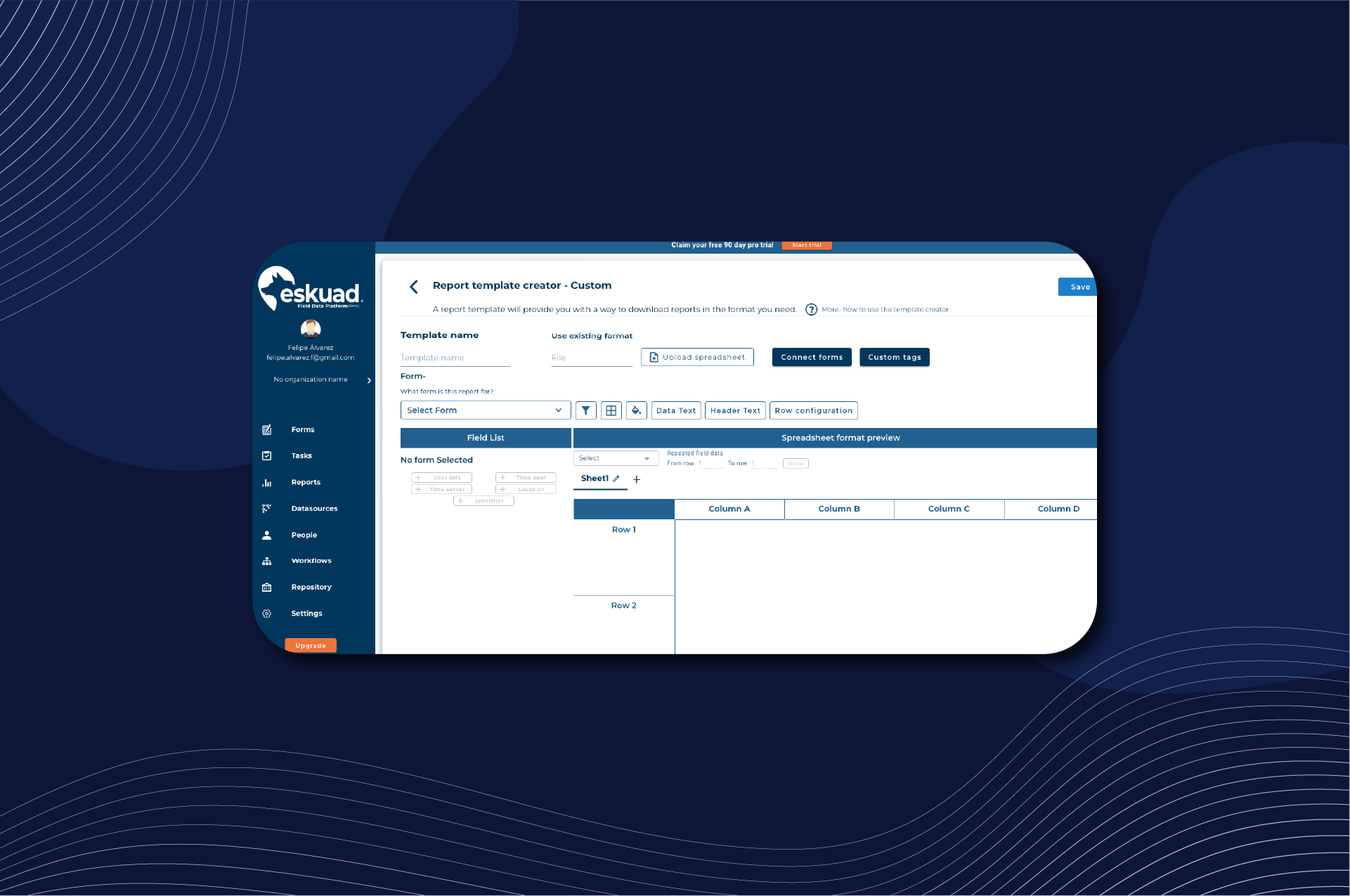
Creating Custom Reports in Eskuad
Custom report templates in Eskuad offer advanced functionality for customizing reports to look exactly how you want them to. Here’s a step-by-step guide on how to create custom report templates:
Preparation: Create a Template
Before creating custom reports, it’s helpful to have a basic understanding of creating report templates. Custom reports build upon this foundation.
Adding a Form
- Start with a Primary Form: Begin by adding a primary form to your report, just as you would with a database template. Configure the primary form with the necessary fields and formatting.
Custom Tags
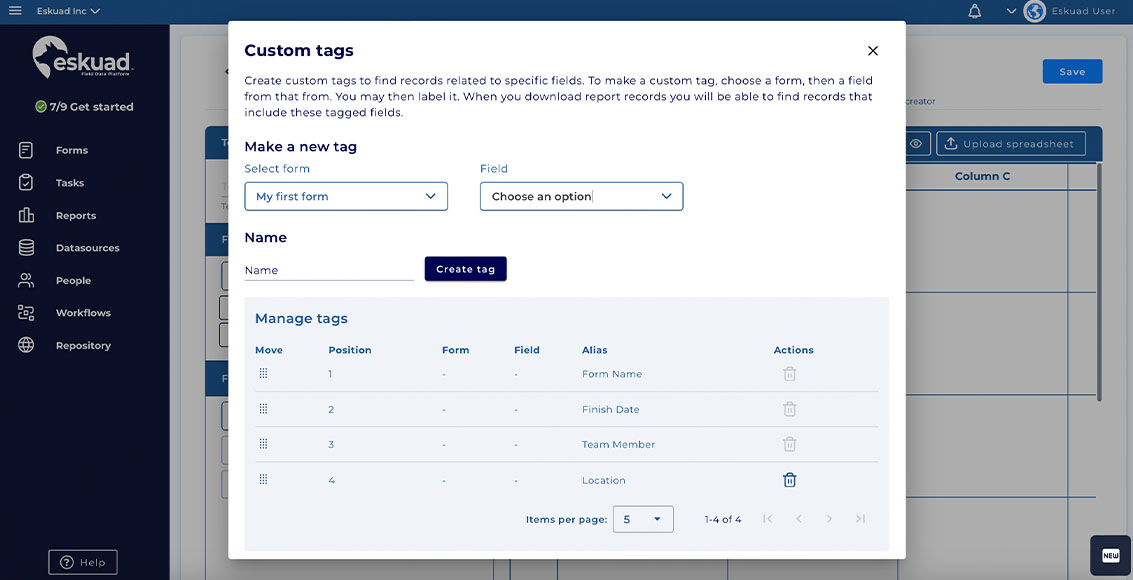
- Create Custom Tags: Custom tags help you find records related to specific fields across multiple forms. To create a custom tag:
- Choose a form.
- Select a field from that form.
- Label the custom tag.
- These custom tags will be useful when you download report records, as they help you identify and locate records that include the tagged fields.
Connecting Forms
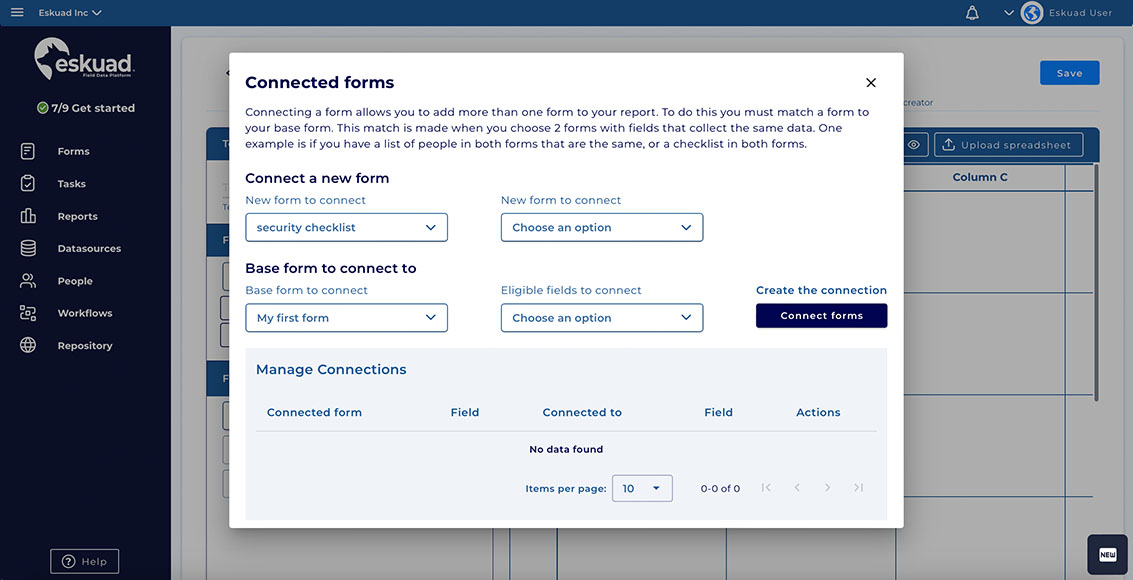
- Connect Matching Forms: Customized reports allow you to include data from multiple forms. To do this, start by connecting additional forms to your primary form.
- Matching Forms: Forms can be matched based on fields that collect the same data. For example, if you have a list of people in both forms that share the same data or a checklist in both forms, you can match them.
Adding Fields from Connected Forms
- Add Fields from Connected Forms: Once you’ve connected a form, you can add fields from the connected form to your report template. This allows you to aggregate data from multiple sources in a single report.
Once your custom report is configured to your liking, you are ready to download it. For more information on downloading reports, please read: Downloading Reports.
Customized report templates empower you to create reports that look exactly how you want them to, and also aggregate data from various sources, making it easier to analyze and present comprehensive reports. Whether you need to combine data from multiple forms or use custom tags for better organization, Eskuad’s customized report templates offer the flexibility and control you need.
If you have any specific questions or need further assistance with creating and using customized report templates in Eskuad, please feel free to ask. We’re here to help you make the most of this feature.