Making a linear workflow

Creating a Linear Workflow in Eskuad: Streamlining Sequential Processes.
In Eskuad, you can create linear workflows to automate sequential processes. Here’s a step-by-step guide on how to make a linear workflow:
Accessing the Workflow Builder
- Navigate to the Workflow Builder: Select “Workflows” in the left navigation bar. This will take you to the Workflow Builder.
- Create a New Workflow: Click the “Create new” button. In the pop-up window that appears, choose “Linear Workflow.”
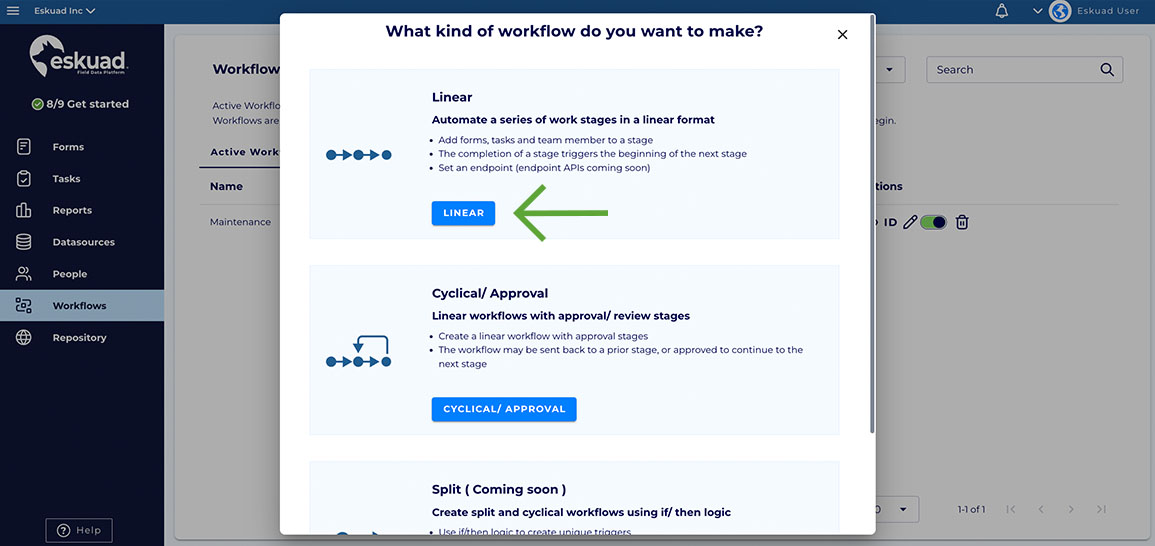
Workflow Editor Interface
-
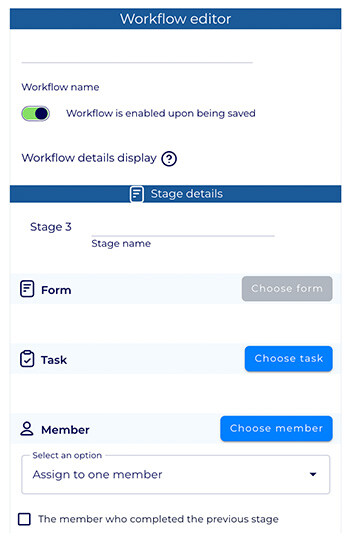
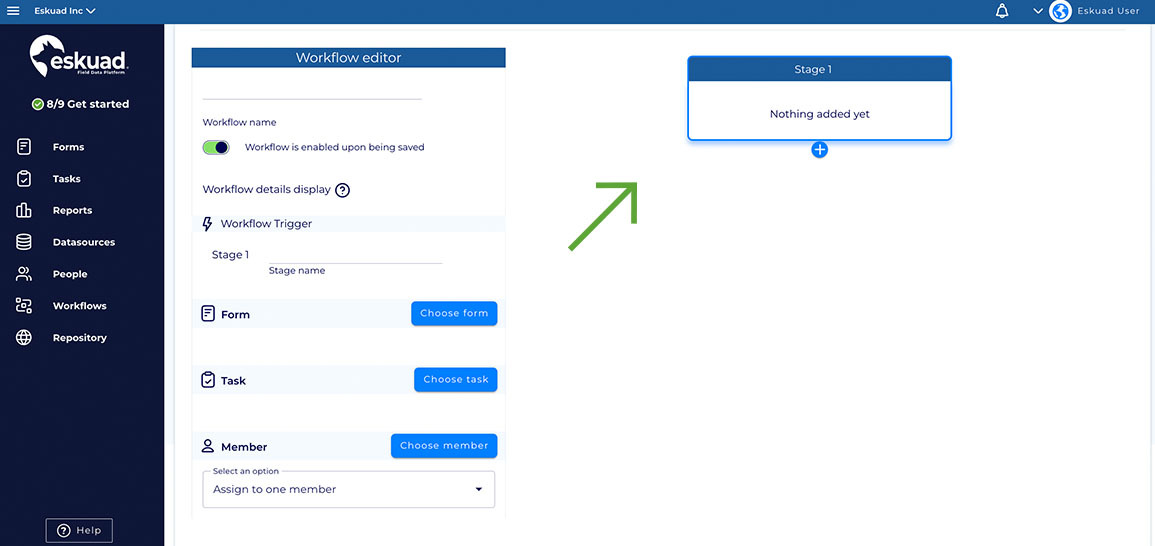
Workflow Editor Layout: In the Workflow Creator, you’ll see two main sections:
-
Editor (Left): Here, you can name your workflow, enable it, and disable it. The toggle button allows you to toggle the workflow on and off, so that if you want to save it, and enable it at a different time, you can do that with this toggle button.
-
-
-
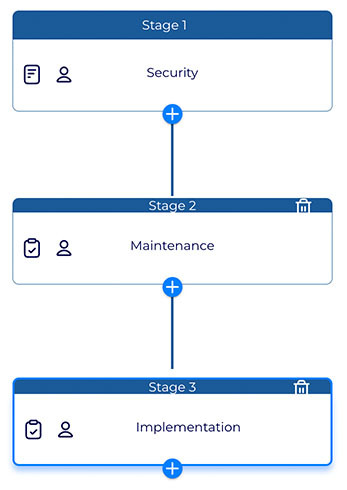
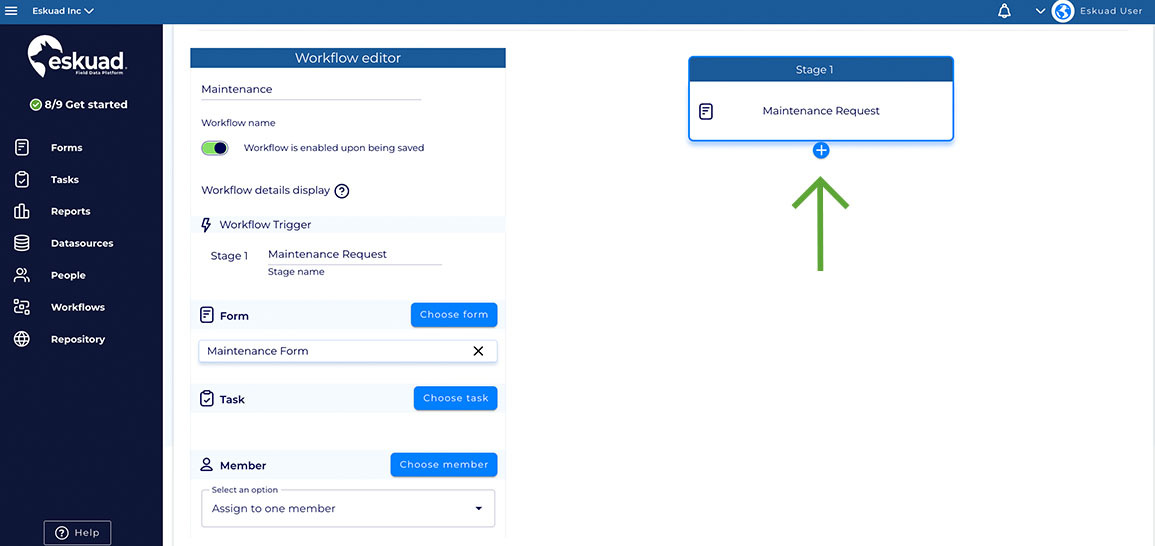
Canvas (Right): This is where you will design and visualize your workflow stages.
-
Setting Up the Trigger Stage
- Trigger Stage: The first stage of your workflow is known as the “trigger stage.” To add a form or task to this stage, click either the “Choose form” or “Choose task” button.
- Select Form/Task: Click the “Details” button next to the form or task you want to add, then click “Use this form” or “Use this task” at the top. The selected form or task will be visible in the stage on the right.
- **Member:**The “Choose Member” button allows you to assign your workflow to a specific member of your organization, or you can leave this selection empty, which will allow anyone in your organization to begin and complete the workflow.
Adding Additional Stages
- Add More Stages: You can add more stages by clicking the plus button under the current stage. Each stage will begin when the previous stage has been completed.
- These stages can also be assigned to a specific member, or if left empty, will automatically be assigned to the user who completed the previous stage.
Saving Your Workflow
Once you have added all the necessary stages, click “Save.” Your linear workflow is now created.
Managing Workflows
In the Workflows table, you can:
-
- See which workflows are active.
- Review workflow details.
- Edit, disable, or delete workflows as needed.
- Navigate to in-progress and completed workflows at the top of the table.
- Monitor the progress of all active workflows and review completed workflows

By creating linear workflows in Eskuad, you can automate sequential processes, ensuring that each stage is completed in a systematic manner. This feature can significantly enhance the efficiency and accuracy of your field operations.
If you have any specific questions about creating linear workflows or need further guidance on using this feature effectively in Eskuad, please feel free to ask. We’re here to assist you in optimizing your workflow automation.