Repository

Eskuad Forms Repository: Step-by-Step Guide
Introduction
The Eskuad forms repository is a very helpful resource that allows Eskuad users to publish and access forms created by the Eskuad community throughout various industries. This manual will show you the step-by-step process of publishing your own forms in the repository, as well as how to access forms that other users have shared.
Step 1: Accessing the Forms Repository
- Login to Eskuad: Open the Eskuad web panel and login with your credentials.
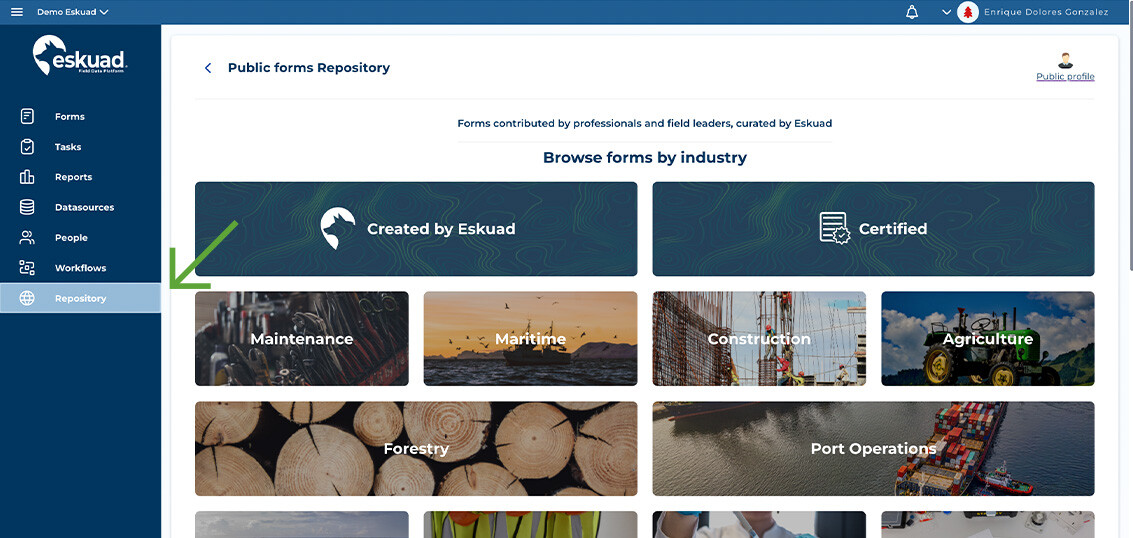
- Navigate to the Repository: From the main menu, go to “Repository.”
Step 2: Download Forms From the Repository
-
Explore the Repository: Once you are in the repository, you will be able to see a list of the forms that are available to you, based on the industry you are looking for. You can search for specific forms by using keywords, filtering by industry, or type of form. In the example below, we are looking at the available forms for forestry in the repository.
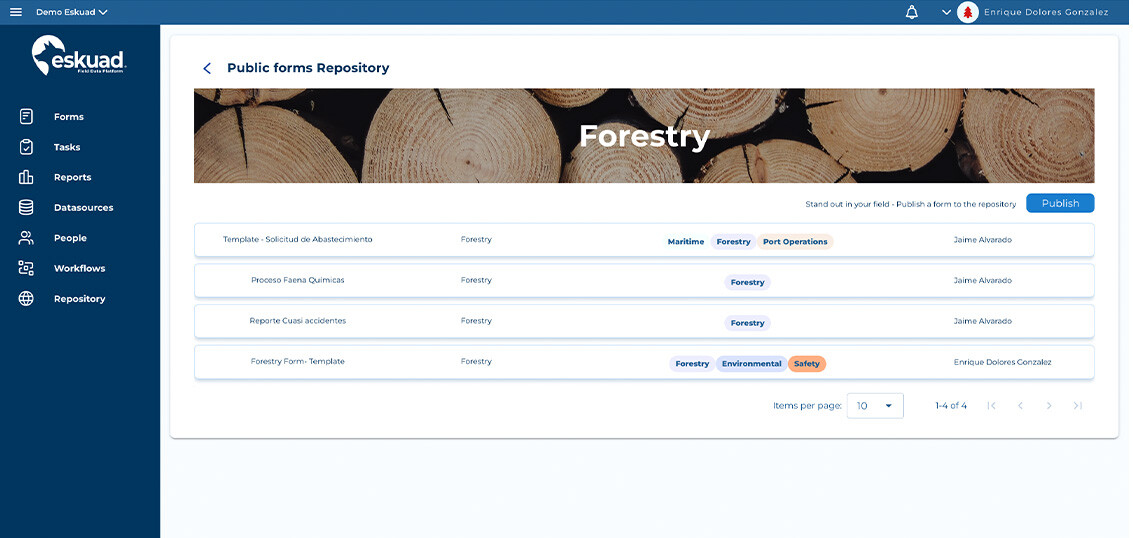
-
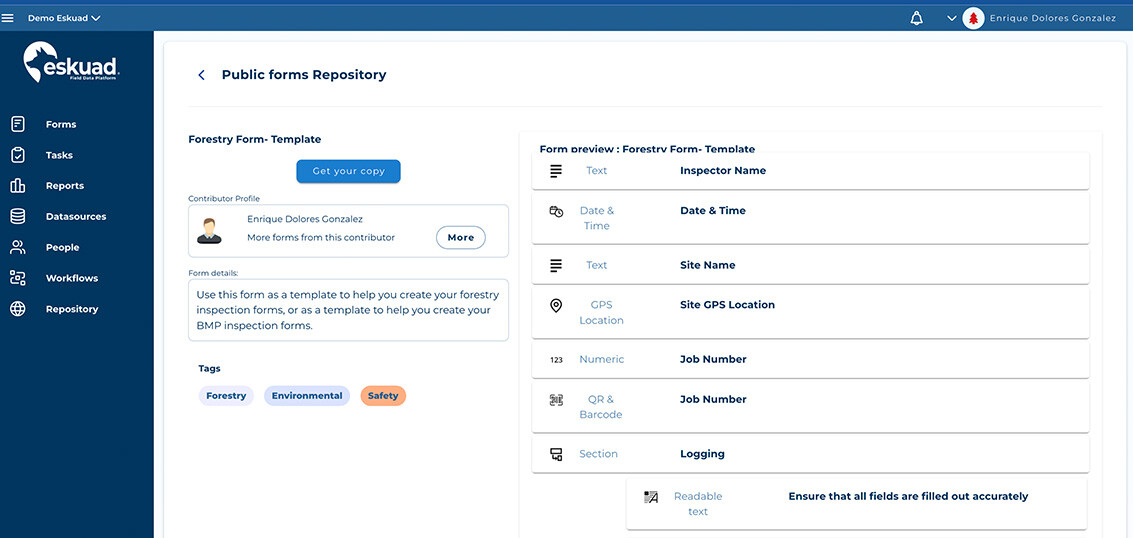
Select your Form: Click on the form you would like to download for more details
-
Review the details: Read the description, and review the different fields and included functionalities, to ensure the form is what you are looking for. Additionally:
- You have the option to include any data sources that are included with the form.
- You can also use these forms as a starting point. The downloaded forms are now yours and editable as soon as you download them from the repository.
-
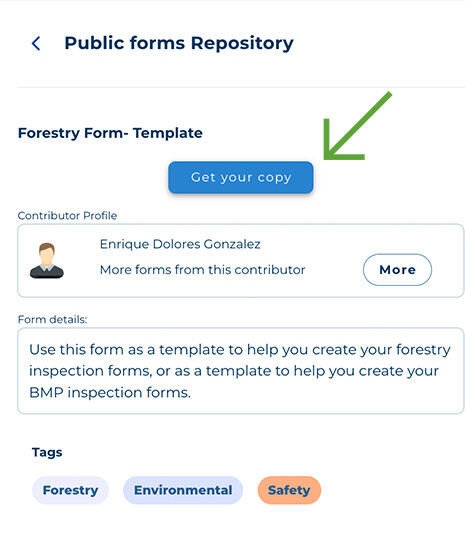
Download the form: When you are ready to start using the form, simply click “Get your copy,” and the form will automatically be downloaded into your forms library.
Uploading Forms to the Repository
- Choosing your Form: In your personal forms library, create a new form to upload into the repository. To upload an existing one, follow the steps below.
- Access the Repository: From the main menu, go to “Repository.”
- Publishing Forms to the Repository:
-
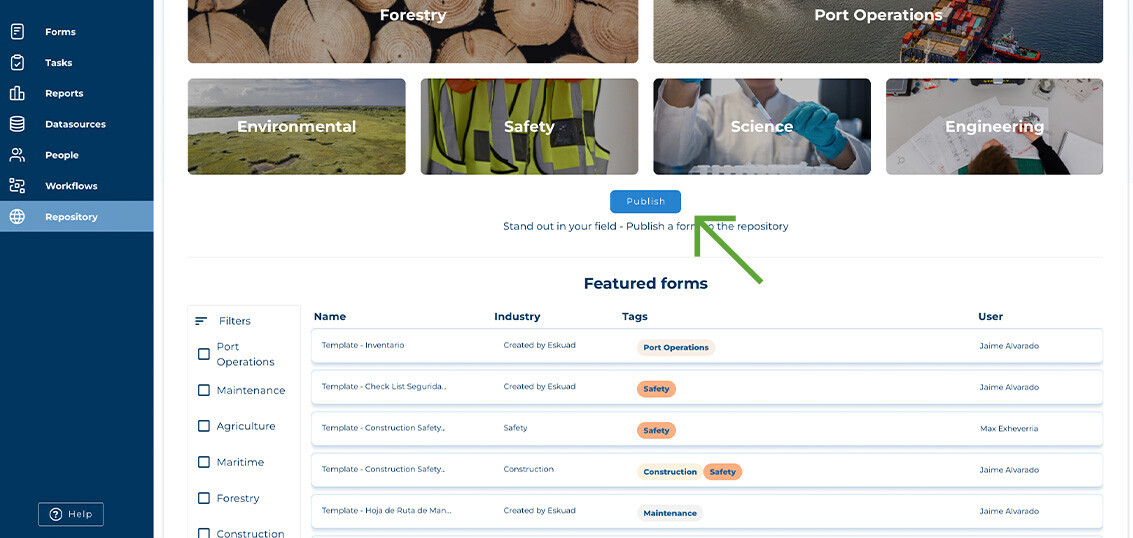
Select “Publish”: The “Publish” button is located underneath the various industries listed in the repository.
-
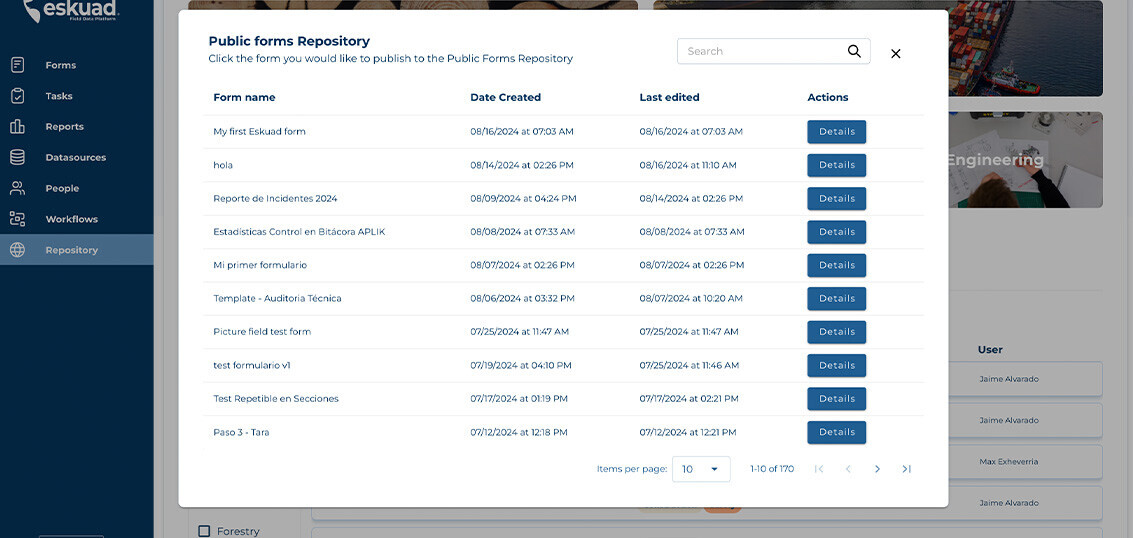
**Forms View:**Once you click “Publish,” a list of your forms that are available to publish will appear
-
Review the details: Fill out all required fields, including the form name, description, the industry to which it belongs, and any other information that may be useful to users downloading your published form.
-
Include your Datasources: You have the option to include any datasources that are linked to your form.
-
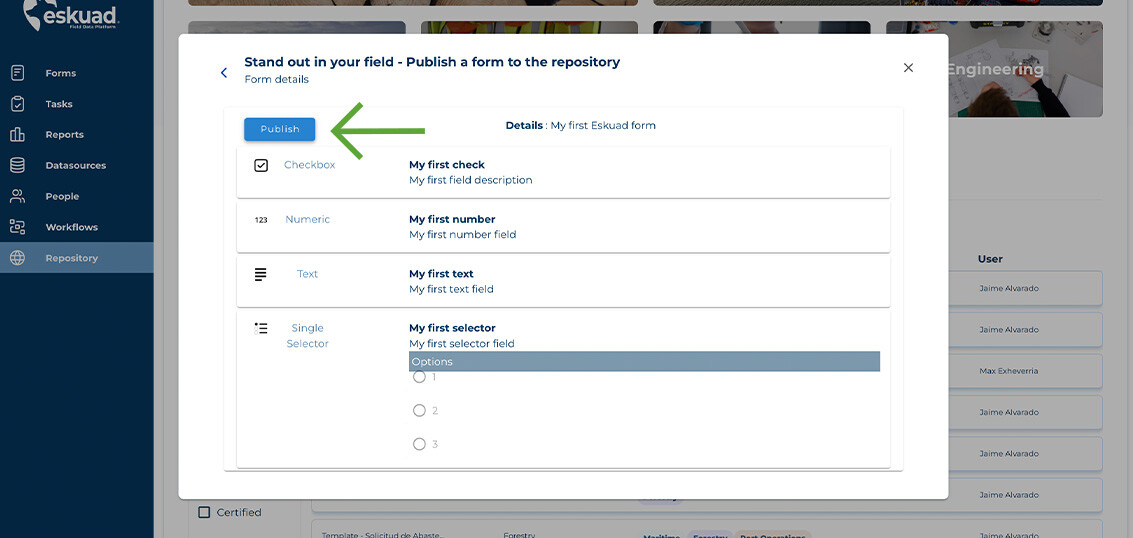
Upload Form: Click on the “Publish” button to publish your form on the Eskuad repository.
Step 4: Manage Forms
- View Uploaded Forms: You can review uploaded forms in the “forms” tab in Eskuad.
- Editing or Deleting Forms: If you need to update a form that has been uploaded into the repository, select the form and use the edit or delete options from the actions options.
Useful Tips
-
Quality, and Reviewing: Before uploading a form, make sure that it is designed in the best way possible, and that it meets with quality standards. Forms that are clearly constructed and easy to understand will be most useful to the community.
-
Comments and Feedback: Encourage users who upload forms to the repository by leaving comments and feedback under their forms to continuously improve the quality of the repository.
Conclusion:
The Eskuad repository is a great way of exploring the understanding and experience of the Eskuad community to improve your operations. By following these easy steps, you can easily upload and download forms, facilitating collaboration and efficiency across your organization.